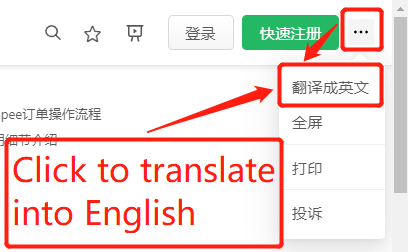
PC browser, click to translate into English
The order processing workflow for TIKTOK SHOP is essentially the same as Shopee: arrange orders first, then print them.
I. Order Operation Workflow
First, arrange the orders by changing their status from [To Process] to [Processed] to obtain the [Logistics Number].
Only after the order status becomes [Processed] and the [Logistics Number] is obtained can you print the [Air Waybill (AWB)].
)
II. Usage Details
- In the upper-left corner of the operation bar, click the [Search More Content] button to perform search/filter operations on all orders, including: Order ID search, Logistics Number search, Product ID search, PSKU search, Product Attribute search, etc.
)
)
-
The [Enable SKU-based Product Identification] option: When enabled, different stores with the same Parent SKU will be identified as the same product. Within the same order or stock preparation list, these products will be merged for statistical purposes. )
-
The [Switch Product Image] button: After use, this allows you to switch the product images in stock preparation lists and shipping lists between the main image and attribute images. The default is the product's main image. )
-
Both the Order Arrangement and Order Printing pages allow printing and exporting of stock preparation lists. Please select the required orders before performing these operations. )
-
The Order Arrangement page features an auto-arrange function. Once enabled, any orders in the [To Process] status will automatically be arranged to [Processed].
)
)

Comments
0 commentsNo comments yet — be the first to speak
If this piece sparked a thought, leave a comment and share your take.