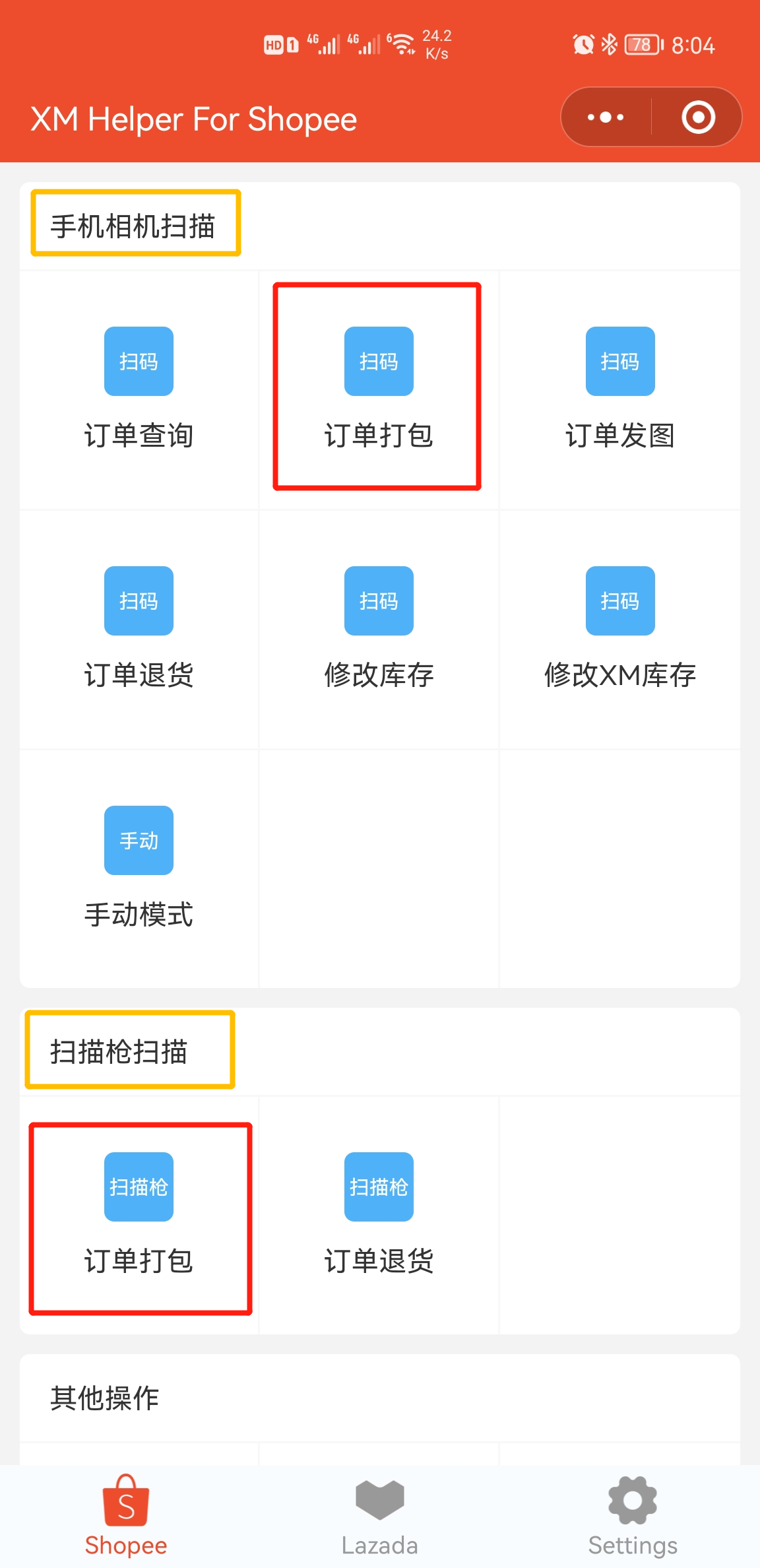
▶** **Feature Entry Point (Mobile)
-
Use Phone Camera to Scan Open XM APP or WeChat Mini Program ➔ Click Order Packing ➔ Scan order barcode ➔ Enter Order Packing Interface ➔ Check "Add Video Record".
-
Connect Bluetooth Scanner to Scan (or Use PDA Device) Open XM APP or WeChat Mini Program ➔ Click Order Packing ➔ Enter Order Packing Interface ➔ Scan order barcode ➔ Check "Add Video Record". Suggestion: Use a phone stand for operation to improve convenience.
▶** **Core Feature Description
-
Start/End Recording
-
Start: When scanning the first barcode, the system automatically starts recording video.
-
Switch Task: Scanning the next barcode will automatically save the current recording and immediately start a new one.
-
End Last Order: After completing all scans, you must manually click the "Save Video" button on the interface to save the final video.
-
Recording Duration Limit Single continuous recording is limited to a maximum of 5 minutes. The system automatically saves the current video after timeout.
-
Switch Camera Supports switching between front and rear cameras during recording to meet different scenario needs.
-
Page Operation Restriction Please keep operating on the same page. Switching pages will cause the recording to fail.

Comments
0 commentsNo comments yet — be the first to speak
If this piece sparked a thought, leave a comment and share your take.